
“Stop wasting time creating videos and voiceovers.”
That’s the promise of Fliki, the online software I’m presenting to you today.
When it comes to marketing and communication, nothing beats a good video. The problem is that creating videos takes time and skill, or money if you prefer to outsource and hire an editor…
With the democratization of artificial intelligence, a number of tools have emerged with one aim: to make your task easier and save you time. Such is the case with Fliki.ai! Let’s find out what this SaaS has to offer in this article. Let’s go !
Introducing Fliki AI
Fliki is a SaaS (Service as a Software) and mainly enables “text to video” and “text to speech” thanks to its artificial intelligence. Co-created by Atul Yadav and Sabir Ahmed, this software aims to help you create high-quality audio and video in the shortest possible time, while simplifying the process as much as possible.
Here are the main features of Fliki, which I’ll introduce in the rest of this article:
- Create videos from different media (texts, ideas, articles and more).
- Create videos to showcase products.
- Create voiceovers in different languages with over 2000 realistic voices.
- Add avatars (presenters) to your videos.
- Clone your voice.
If you’d like to try out Fliki for free, you can with its free trial version. Although it’s limited, it’ll let you test the tool and its features to see if it’s right for you.
If you’re still not convinced, I suggest you move on to the features presentation!
Create videos from text (text to video)
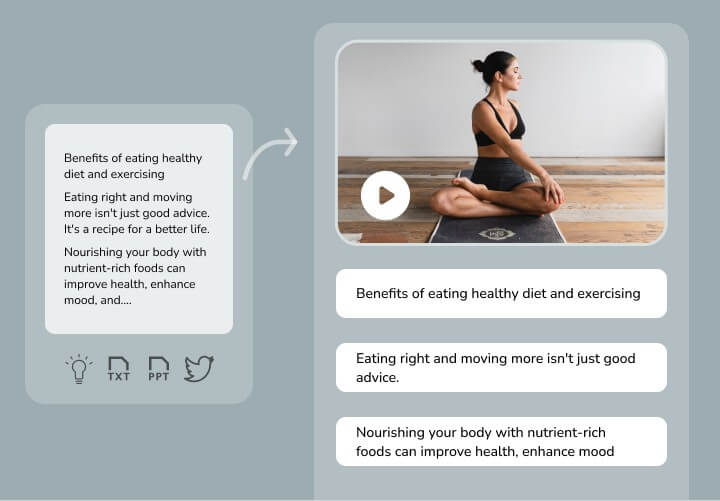
Fliki lets you create videos from any kind of text: an idea, an article, a Tweet…
There are 4 steps to creating a video:
- Enter your text.
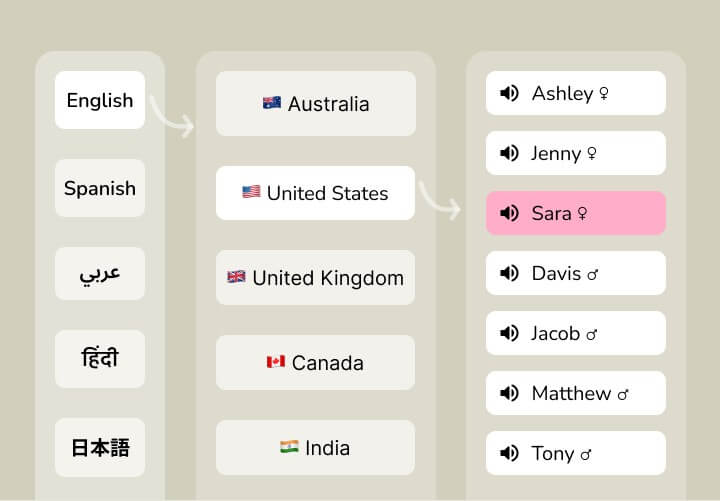
- Select a voice (75 languages and over 2000 voices available).
- Choose media files (images and videos) using AI.
- Check and export your video!
Create product videos
In a similar vein, you can use Fliki.ai to generate videos to present your products. This feature should not be underestimated, as videos on a product or sales page often improve conversion rates!
Here, you can create a quality video with visuals, animations, subtitles, voiceover… all without editing skills!
Create voiceovers
Fliki lets you create voiceovers from any text.
Creating a voiceover is simple. Just enter the text you want, choose a language from the 75 available and a voice from the 2000 available. You can then modify the voice to convey the emotions appropriate to your project.
Add an avatar to a video
For a more dynamic, personalized video, Fliki lets you add an avatar. Thanks to AI, the avatar’s lip movements will be matched to his words, for a more human and natural result.
Clone your voice
Fliki AI also lets you clone your own voice, so you can use it to generate voiceovers with your own voice without having to record it!
For cloning to work, you must first send a recording of your voice. The AI will then be able to clone it realistically.
Then all you have to do is enter your text to generate a voiceover in your own voice.
How much does Fliki.ai cost?
Fliki offers 3 price plans.
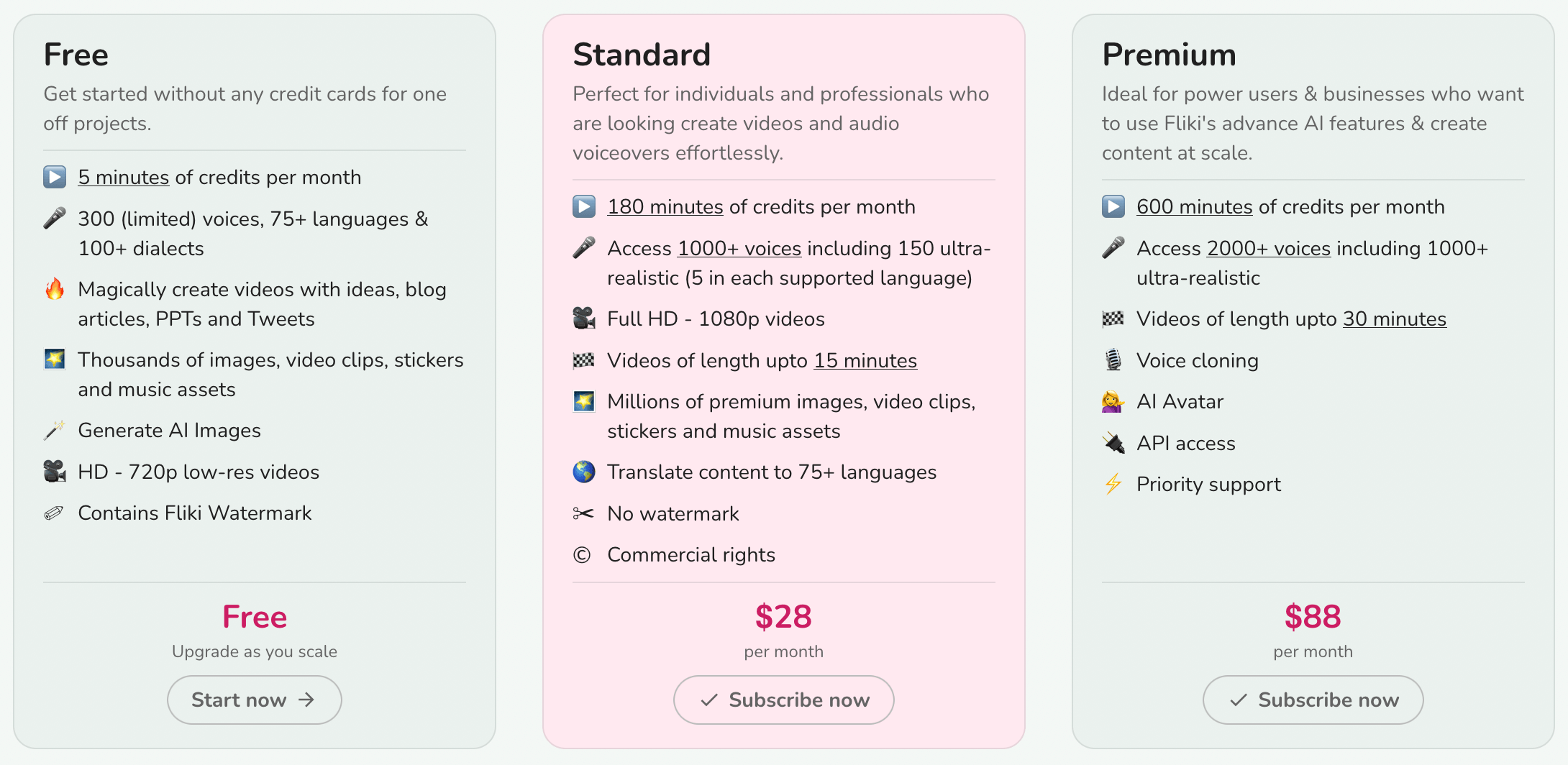
- The free plan is limited, but allows you to test the software and make up your own mind.
- The standard plan ($28 per month) entitles you to 180 minutes of credits per month. Note, however, that this plan does not unlock all the software’s features. You won’t be able to clone your voice or use AI-generated avatars. What’s more, you won’t have access to all available voices, and your videos will be limited to 15 minutes.
- The premium plan ($88 per month) unlocks all features and gives you 600 minutes of credits every month. Your videos can be longer, up to 30 minutes.
My final opinion on Fliki
I like Fliki for its intuitive, easy-to-use interface. This online software offers a number of features and will be particularly useful if you want to create videos from text and add an avatar. The feature that lets you clone your voice is also interesting.
However, I advise you to try out the free version of the tool to make up your own mind. The 2000 voices on offer can be more or less successful, depending on the language. It’s up to you to see if it suits you!
Fliki suits you and you want to subscribe? Discover the Fliki coupon codes currently valid to save a maximum on the price of your subscription.
Alternative to Fliki AI
Of all the tools I’ve tested on AI Advices, the one that comes closest to Fliki.ai is none other than Pictory. In particular, it allows you to generate videos from text. Check it out if you’re not familiar with it.